
A new regulation comes into force next month, and every employee must be trained on it before then. A product launches in three weeks, and the sales team needs to know how to sell it. In situations like these, a course that takes four months to build is of no use to anyone, however polished it might be.
Rapid eLearning development exists for these moments. This article explains what it is, how the process works, the tools involved, when it is the right choice and the practices that stop speed from coming at the cost of quality.
What Is Rapid eLearning Development?
Rapid eLearning development is an approach to building online courses in weeks rather than months. It relies on ready-made templates, simple authoring tools and a shorter, more collaborative review process, so that a course can move from idea to learners quickly.
The traditional method usually follows a long sequence. An instructional designer analyses the need, writes a detailed design document, produces a storyboard, waits for approval, then hands everything to developers and media specialists who build the course from scratch. Each step waits for the one before it. The result can be excellent, but it is slow and expensive.
Rapid development compresses that sequence. The designer often builds directly in the authoring tool, subject experts review a working version rather than a document, and changes are made in short cycles. Many teams also reuse existing material, such as slide decks, policy documents and recorded webinars, rather than starting from a blank page.
It is worth being clear about what rapid does not mean. It does not mean skipping the thinking about what learners need to do differently after the course. A fast course with no clear objective is simply a fast way of wasting people's time.
How Does the Rapid eLearning Process Work?
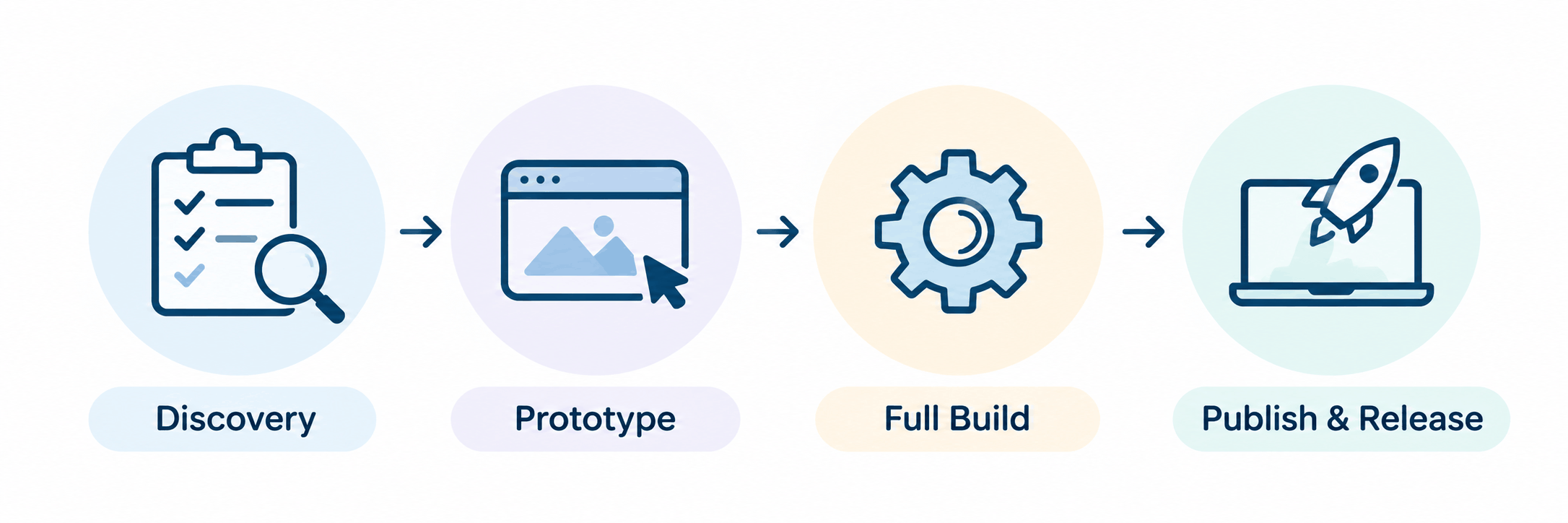
Most rapid projects move through four stages, and the stages overlap more than they would in a traditional build.
The work starts with a short discovery. Rather than weeks of analysis, the designer meets the stakeholders and subject experts to agree on the audience, the two or three things learners must be able to do afterwards, and the source material available. This conversation sets the boundaries of the course, and it is the step most worth protecting when time is short.
Next comes a prototype. Instead of a long storyboard, the designer builds one or two sample screens in the authoring tool, using the intended template, fonts and interaction style. Stakeholders can react to something real, which saves many rounds of comments on paper.
The full build follows, usually in sections. Each completed section goes to reviewers while the next one is being built, so feedback and development run in parallel rather than one after the other.
Finally, the course is published to the learning management system, tested and released. Because rapid courses are easy to edit, updates after launch are expected rather than treated as a failure.
What Are the Most Common Rapid eLearning Tools?
Rapid elearning tools are authoring programmes designed so that someone without programming skills can build an interactive course. Most share the same core features: ready-made templates, drag-and-drop interactions, built-in quizzes, and export in SCORM or xAPI format so the finished course can run on almost any LMS.
They fall into a few broad kinds. Browser-based, block-style tools let a designer assemble a course by stacking pre-built sections such as text, images, accordions and knowledge checks. The output adjusts automatically to phones and tablets, which makes these tools well suited to fast, mobile-friendly courses. Articulate Rise 360 is a widely used example.
Slide-based desktop tools offer more control. They work much like presentation software, but add triggers, branching, variables and detailed interactions. Articulate Storyline 360, Adobe Captivate and iSpring Suite are common choices. They take longer to learn but can produce scenarios and simulations that block-style tools cannot.
Presentation converters sit at the simplest end. They turn an existing PowerPoint file into an online course with narration and quizzes, which can be the quickest route when the content already exists in slides.
Increasingly, many of these tools also include artificial intelligence features that draft text, suggest quiz questions or generate voiceover. These can save time on first drafts, but the output still needs checking by someone who knows the subject.
When Should You Choose Rapid eLearning Solutions?
Rapid e-learning solutions are at their best when the content is stable in structure but needs to reach people quickly. Compliance updates, product knowledge, policy changes, software walkthroughs and onboarding modules all fit well. So does any training that will need frequent updates, because a rapid course can be edited in hours.
They are less suitable for complex simulations, high-stakes certification or training where learners must practise difficult judgements, such as clinical procedures or safety-critical operations. Those projects benefit from the deeper design and custom media that a traditional build allows. Many organisations use both, choosing the approach course by course.
Best Practices for Rapid eLearning Development
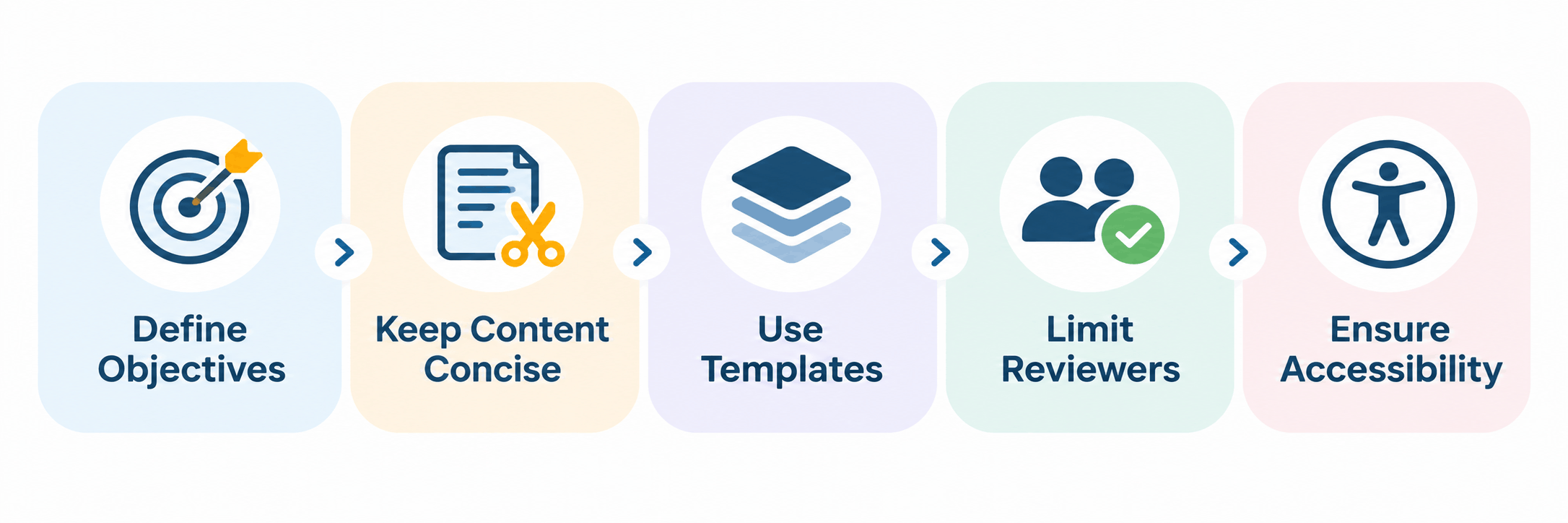
Speed puts pressure on every decision, so a few habits make a large difference to the final result.
Start by agreeing on objectives in writing. A single page stating who the course is for and what they should be able to do afterwards prevents most of the late changes that slow rapid projects down. This is where strong instructional design pays for itself, even on a short timeline.
Cut the content, then cut it again. Source documents are almost always longer than the course needs to be. Keep what learners must know to do their job, and link to the full policy for anyone who wants the detail.
Build a template library once and reuse it. Consistent layouts, colours and interaction types mean each new course starts half-finished, and learners find their way around more easily.
Limit the reviewers. A course reviewed by two decision-makers moves quickly. One reviewed by eight people, each with different priorities, rarely does. Agree on who signs off before the build begins.
Finally, do not treat accessibility as optional because the timeline is short. Captions, readable contrast, alternative text for images and keyboard navigation take little time when they are part of the template from the start, and a great deal of time when added at the end.
How Can Margo Learning Help With Rapid eLearning Development?
Many organisations have the tools but not the people to use them at the pace they need. Margo Learning's courseware development team combines instructional designers, subject experts and developers who work in the leading authoring tools, delivering SCORM and xAPI courses tested on your LMS, with source files you can update yourself. Contact Margo Learning to discuss your deadline and the courses you need to build.
Frequently Asked Questions
It is a faster way of building online courses, using templates, easy authoring tools and short review cycles, so a course can be ready in weeks rather than months.